
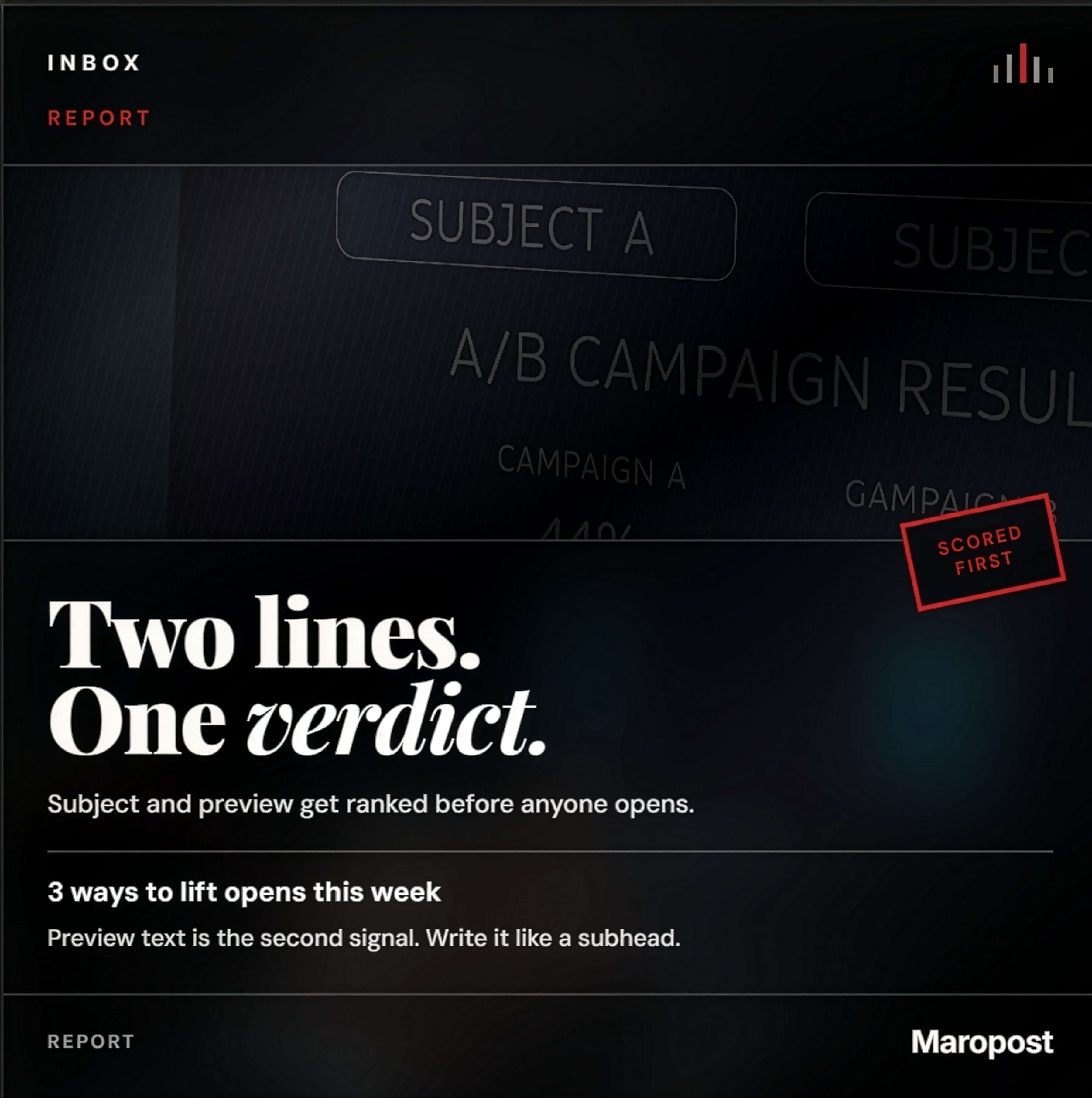
Subject line and preview text ranked by AI on the Maropost dashboard
Nicholas Nicholas Bevilacqua
May 29, 2026
EMAIL SUBJECT LINES

The Hidden Algorithm: Yes, Your Email Subject Lines Are Being Ranked by AI

For decades, marketers in email marketing viewed the subject line through a purely artistic lens. It was treated as a digital headline—a creative hook designed to catch a human eye, evoke curiosity, and drive an open.

But behind the screen, the modern inbox has undergone a massive structural shift. Today, something as seemingly simple as a subject line is no longer just a piece of human-facing copy. It is a highly critical data point fed directly into inbound AI filters that grade, rank, and score your email before a human ever knows it exists.

If your subject line fails the algorithm's invisible ranking system, your email is effectively dead on arrival.
What Does "Subject Line Ranking" Actually Mean?

When an Email Service Provider (ESP) like Gmail, Outlook, or Apple Mail receives an inbound message, it doesn't just blindly place it at the top of a user's feed. Instead, it routes the message through an automated, multi-layered machine learning evaluation pipeline.

The AI looks at your sender reputation, your infrastructure authentication, and—crucially—the linguistic semantic patterns of your subject line.

The algorithm parses the text to answer three programmatic questions:

  • Classification: Is this message urgent, informational, promotional, or malicious?
  • Engagement Probability: What is the exact mathematical probability that this specific user will want to read this right now?
  • Risk Assessment: Does this text resemble historical data patterns associated with low-quality spam?

How the AI Ranking Directly Dictates Visibility The score your subject line receives dictates its physical placement within the user's interface. The algorithm's ranking process directly controls three major bottlenecks:

Tab Sorting and Inbox Placement

The modern inbox is no longer a single, chronological list; it is a highly categorized filing cabinet. Your subject line acts as a primary routing signal:

[Inbound Email] ➔ [AI Semantic Parser]
"Your Q1 Website SEO Audit is Ready" ──> High Rank ➔ Primary Inbox
       "🔥 FLASH SALE! 50% OFF TODAY ONLY!" ──> Mid Rank ➔ Promotions Tab
       "💰 WIN FREE CASH NOW!!! CLICK HERE" ──> Low Rank ➔ Spam Folder

Using overly aggressive promotional triggers, excessive punctuation (!!!), or high-pressure language forces the AI to rank the message low, instantly burying it where users rarely look.

Predictive Engagement Scoring

Before the email lands, the AI runs a predictive engagement simulation based on the historical preferences of the recipient. If the algorithm detects that the user frequently opens emails containing words like "Report," "Update," or "Invoice," but consistently deletes emails with phrases like "Don't Miss Out," it will dynamically rank the informational email higher in their priority queue.

The Long-Term Domain Feedback Loop

Subject line ranking has a compounding, structural impact on your entire digital brand.

Low-Rank Subject Lines lead to lower opens, higher immediate deletes, and increased spam complaints. The email network logs these negative behavioral events against your Sender Domain Reputation. Over time, the AI system systematically downgrades the baseline deliverability score of your entire company, routing even your transactional emails straight into the junk folder.

  • The Machine Logic: A Comparative Tale of Two Titles

To understand how an AI model rates language, look at how a neural network processes the semantic weight of two different approaches to the exact same asset:

Subject Line A Subject Line B
"Your customized performance report is ready" "🔥 WOW!!! Crucial info inside, don't miss out!!!"
AI Assessment: High utility, low pressure, clear entity reference ("report"), highly professional semantic profile. AI Assessment: Artificial urgency, high spam-pattern density (emojis + capitalizations + multiple exclamation marks), obscure intent.
Algorithmic Action: Approved for Primary Inbox Algorithmic Action: Routed to Promotions or Spam

Summary: Writing for the Filter First, the Human Second

The modern reality of email marketing requires a fundamental shift in strategy. You are no longer writing a subject line for a human being sitting on a couch; you are writing a technical input for an artificial intelligence gateway.

If the AI gateway ranks your text as low-value, noisy, or deceptive, the human recipient will never even get the chance to read it. The most successful modern email campaigns are built on subject lines that prioritize clarity over cleverness, relevance over hype, and algorithmic compliance over artificial urgency.

In this installment of our email infrastructure series, we detail the mechanics of inbound filtration and algorithmic routing.

Reverse Engineering the Inbox: How Inbound Algorithms Route and Sort Your Emails

When an email is broadcast across the web, its ultimate destination—whether it secures a spot in the coveted Primary Inbox, gets filed away into the Promotions tab, or is banished to the Spam folder—is never random.

Inbound email ecosystems (such as Google’s Gemini-powered Gmail sorting or Microsoft’s Advanced Threat Protection in Outlook) operate like strict customs border control. Every single email is pulled into an algorithmic inspection lane, where its structural data and Subject Line are thoroughly audited.

This is the exact breakdown of how those systems compute exactly where your email belongs.

Natural Language Processing (NLP) & Semantic Parsing

Before looking at anything else, the inbound mail server runs the subject line through an NLP (Natural Language Processing) pipeline. The AI doesn’t just screen for individual words; it reads the text to evaluate its core semantic intent, analyzing:

  • Contextual Clarity: Is the headline clear, descriptive, and functional?
  • Urgency Mapping: Is the tone natural, or is it trying to create artificial, high-pressure anxiety?
  • Transactional vs. Commercial Intent: Does the message sound like an exchange between two humans, an official transactional update, or a mass promotional blast?
  • Example Routing:
"Your subscription renewal confirmation" ──> Functional Intent ──> Primary/Updates
       "!!! OPEN NOW TO CLAIM YOUR SECRET GIFT !!!" ──> High-Pressure Commercial ──> Spam

Risk Profiles and Pattern Triggers

Inbound email servers reference massive, constantly evolving global databases of high-risk structural and linguistic patterns. The sorting algorithm applies penalty points to a message based on distinct negative signals within the subject line:

  • Spam-Trigger Phrases: Aggressive, money-centric words or financial hyperbole (e.g., Free, Guarantee, Earn Cash, Buy Now).
  • Punctuation and Case Anomalies: Writing in ALL CAPS, stacking multiple exclamation marks (!!!), or using excessive emojis.
  • Clickbait Dynamics: Using deceptive, open-ended phrases designed to trick a user into clicking based on false pretenses.

The Sender Reputation Baseline

A subject line is never evaluated in a vacuum. The sorting algorithm cross-references the words in your title with your global Sender Domain Reputation and authentication scores (SPF, DKIM, DMARC).

  • The machine reviews your historical sender ledger:

What percentage of this domain's historical emails are opened vs. instantly deleted? How many times have users explicitly hit "Report Spam" on emails coming from this IP address? If your domain reputation score is immaculate, the algorithm gives your subject line a wider margin of error. If your reputation is poor, even a pristine, human-written subject line will be automatically routed to the Spam folder.

Subject-to-Body Semantic Congruency

One of the most advanced features of modern inbox AI is checking the alignment between the subject line and the actual content inside the body of the email. The algorithm verifies that your headline matches your copy.

If your subject line promises a specific value, but the body text contains entirely different keywords, links, or offers, the AI marks it as a deceptive mismatch.

[Subject Line]: "Download your free marketing e-book"

       │
              ▼ (Semantic Alignment Check)

[Email Body]: [Contains text regarding a paid crypto course signup]

       │
              ▼
       [Result]: Serious Negative Signal ➔ Instant Downgrade to Spam

Predictive Human Behavior Modeling

Major inbox providers run real-time predictive modeling simulations on inbound mail streams. When an email hits the server, the algorithm reviews the recipient's personal, historical behavior profiles to calculate a probability score:

P ( Open ) vs. P ( Instant Delete ) vs. P ( Spam Complaint )

If the predictive engine calculates that the user has historically ignored or deleted 90% of emails containing phrases like "Special Discount," the incoming email will automatically lose its slot in the Primary folder and be re-routed down-funnel into Promotions.

  • The Ultimate Matrix: The Inbound Sorting Categories

Once the algorithm finishes compiling data from your subject line, domain reputation, and historical user metrics, it calculates a final score that assigns the email to its designated inbox tab:

Inbox Tab Algorithmic Criteria Subject Line Example
Primary High trust, high conversational utility, direct personal/professional relevance. “Notes from our sync yesterday”
Updates Automated notifications, transactional receipts, alerts, and statements. “Your monthly account invoice is ready”
Promotions Commercial offers, newsletters, brand advertisements, and marketing lists. “Get 20% off your next checkout”
Spam Low domain trust, high semantic risk triggers, malicious patterns, or high historical user rejection. “🔴 URGENT: WIN BIG MONEY TODAY!!!”

In this installment, we dive into the core engine of modern inbox AI to understand the technical layers of scoring and predictive modeling.

The Mechanics of Subject Line Scoring: Inside the Core of Modern Inbox Artificial Intelligence

In the foundational years of digital communication, the email server was essentially a digital postman: it read the destination address and dropped the raw text into a chronological box. Today, that postman has been replaced by an interconnected suite of neural networks.

In contemporary platforms like Gmail, Microsoft Outlook, and Apple Mail, the Subject Line functions as the primary metadata wrapper. It serves as an algorithmic diagnostic tool that modern artificial intelligence uses to predict performance, gauge trust, and dynamically curate the user experience.

The Multi-Layered AI Evaluation Pipeline

When an email triggers an inbound mail exchange server, the subject line is processed through three distinct machine learning layers simultaneously:

                  ┌───────────────────────────────┐
                         │      Inbound Email Stream     │
                         └───────────────┬───────────────┘
                                         │
                ┌────────────────────────┼────────────────────────┐
                ▼                        ▼                        ▼
       ┌─────────────────┐      ┌─────────────────┐      ┌─────────────────┐
       │   Layer 1: NLP  │      │  Layer 2: Spam  │      │ Layer 3: User   │
       │ Semantic Parser │      │ Classifiers     │      │ Predictive Mod. │
       └────────┬────────┘      └────────┬────────┘      └────────┬────────┘
                │                        │                        │
                └────────────────────────┼────────────────────────┘
                                         │
                                         ▼
                      ┌─────────────────────────────────────┐
                      │ Unified Algorithmic Placement Score │
                      └─────────────────────────────────────┘

Layer 1: Natural Language Processing (NLP) & Semantic Transformers

Modern inboxes use transformer-based NLP architectures to extract linguistic meaning from the text. Instead of counting keywords, the AI analyzes word relationships, semantic weights, and sentiment polarity. It evaluates whether the subject line is genuinely informational, highly promotional, transactional, or psychologically manipulative.

Layer 2: Statistical Spam Classification Models

Operating on vast datasets of billions of historical spam patterns, these classifiers analyze structural patterns. They automatically penalize text exhibiting artificial urgency markers:

  • High-risk keyword density: (e.g., Free, Act Now, Guaranteed Profit).
  • Typographical anomalies: (e.g., ALL CAPS, consecutive symbols like $$$ or !!!).
  • Emoji Inflation: Excessive or irrelevant emoji stuffing meant to artificially inflate visual click rates.
  • Layer 3: User Predictive Modeling

Before a user even unlocks their phone, the inbox running the background processes runs a predictive inference script. It calculates a statistical probability score for three core behavioral actions based entirely on the text string of the subject line:

P ( Open ) | P ( Delete without Opening ) | P ( Report Spam )

The Algorithmic Feedback Loop & Machine Learning

The ranking of a subject line is a dynamic, continuously learning system. Every time an email delivery occurs, the AI sets up an automated Behavioral Feedback Loop.

[System Deploys Email] ➔ [User Acts/Ignores] ➔ [Metrics Fed to Neural Net] ➔ [Global Score Recalculated]

Positive Signals: If a cohort of users opens the email, marks it as "Important," or drags it from the Promotions tab into the Primary folder, the AI registers a massive algorithmic bonus.

Negative Signals: If users scroll past the email, delete it immediately without opening it, or actively hit "Report Spam," the domain is hit with an institutional penalty.

The system uses these telemetry data points to automatically update its filtering parameters for your specific brand domain for future broadcasts.

The Shift to Hyper-Individualized Mail Filters

The most profound evolution in modern email architecture is that subject line ranking is no longer universal. The inbox filters have been deeply personalized to the unique behavioral habits of the individual user.

The AI constructs a private, highly secure user profile model based on historical inbox interactions:

  • The Utility Profile: User A consistently opens data-heavy, technical newsletters with subject lines containing terms like "Data, Analytics, Report." They systematically ignore promotional messaging. The AI will prioritize and rank informational subject lines higher in User A's Primary Inbox.
  • The Incentive Profile: User B routinely interacts with retail markdown alerts containing words like "Discount, Sale, Clearance." The AI recognizes this intent profile and safely routes highly promotional subject lines directly to User B’s tabbed workspace, ensuring visibility where they are most likely to convert.

The Direct Impact on Structural Inbox Placement

The final numerical score computed from the combination of your subject line, infrastructure protocols, and historical sender reputation dictates the physical coordinates of the email within the modern application UI:

Destination Tab Algorithmic Grade Structural Signaling Requirements

Primary Inbox Grade A (High Trust) Clear peer-to-peer syntax, high transactional clarity, clear relational or functional value to the specific individual.

Promotions Tab Grade B (Commercial) Commercial linguistic indicators, volume-blast formatting profiles, discount or marketing markers.

Spam Folder Grade F (High Risk) Structural failure of security checks, deceptive intent patterns, heavy manipulation language, or high global user rejection history.

Anatomy of a Failure: Real-World Breakdown of Destructive Subject Lines

In modern email marketing, a campaign rarely goes down in flames due to the design of the body layout or the quality of the footer. It dies at the digital front gate. The Subject Line is the definitive catalyst for either building human-to-brand trust or triggering algorithmic filtration.

When a brand deploys a high-risk or low-utility subject line, it sparks a cascade of technical failures: plummeting open rates, immediate route-to-spam actions, domain reputation downgrades, and user alienation.

Below is the definitive taxonomy of poor subject lines, analyzed through both algorithmic and behavioral lenses with real-world examples.

The Ultra-Generic / Zero-Context Blanks

These subject lines offer absolutely no informational context, failing to signal any immediate value to the user or the incoming mail scanner.

❌ Real-World Anti-Examples: "Hello", "Important", "Update", "News", "Check this out"

The Structural Flaw: Inbound NLP transformers flag these as low-utility, bulk-automation indicators. Humans scan their inboxes looking for reasons to delete clutter; an email with no explicit context is the first to be purged.

The Over-Promotional Punctuation Explosion

Characterized by manufactured urgency, aggressive sales pitches, and screaming typography.

❌ Real-World Anti-Examples: "🔥 BUY NOW AND SAVE BIG!!!", "LIMITED OFFER!!! ACT FAST!!!", "50% OFF EVERYTHING TODAY ONLY!!!", "DON’T MISS OUT!!!"

The Structural Flaw: These are immediate algorithmic triggers for spam classifiers. The combination of all-caps strings, multi-stacked exclamation points (!!!), and hard commercial verbs instantly drops the delivery score, routing the message directly to the Promotions tab or the Spam folder.

The Emoji-Stuffed Cluttered Feed

Using icons to decorate text is acceptable in moderation, but overloading a title with visual triggers mimics the behavior of fraudulent networks.

❌ Real-World Anti-Examples: "🚀🔥💰 BIGGEST SALE EVER!!! 💥💥", "🎉🎉🎉 You WON!!! 🎉🎉🎉", "⚠️⚠️ URGENT ⚠️⚠️ READ NOW"

The Structural Flaw: High visual noise density correlates directly with low sender reputation data. Security firewalls flag these patterns as potential phishing or lottery scam vectors.

The Deceptive Clickbait / False Urgency Trap

Manipulating the user's psychology by implying a personal connection or security crisis that does not exist.

❌ Real-World Anti-Examples: "You’ve been selected...", "We need to talk immediately", "Your account has been compromised", "This will change everything"

The Structural Flaw: While this might trick a user into a brief, artificial "open," the moment they realize the body content doesn't match the threat, they hit Report Spam. This triggers a severe feedback loop penalty against your domain.

The Vague & Nebulous Whisper

Titles that try to be mysteriously artistic but fail to deliver any clear value proposition.

❌ Real-World Anti-Examples: "Something for you", "A quick note", "Just in case", "Thought you’d like this"

The Structural Flaw: Modern consumers suffer from intense digital cognitive fatigue. If your subject line requires the user to think or guess what is inside, they will skip it.

The Character-Clipped Novel

Writing long-form sentences that ignore mobile screen constraints.

❌ Real-World Anti-Examples: "We are excited to announce that we have updated our entire platform with new features and improvements", "Here is everything you need to know about our new pricing, features, updates, and upcoming changes"

The Structural Flaw: Most modern emails are opened on mobile devices where subject lines are hard-clipped at roughly 40 to 60 characters. The core value proposition is cut off, rendering the visible portion useless.

The Cold, Institutional Machine Tone

Subject lines that read like a dry system error log, stripping away any sense of brand-to-human relationship.

❌ Real-World Anti-Examples: "Notification regarding account status", "Information about your recent interaction", "System update notice"

The Structural Flaw: While these pass spam filters safely, they completely fail behavioral engagement models. Users skim past them because they lack human warmth and immediate personalized relevance.

The Hyperbolic Miracle Scheme

Making unearned, dramatic claims that sound like classic late-night television infomercials.

❌ Real-World Anti-Examples: "You are the ONLY winner", "This secret method makes you rich overnight", "No one else knows this"

The Structural Flaw: Modern consumers have highly developed skepticism. These phrases trigger immediate emotional distrust in the user and match the core linguistic signatures found inside global spam traps.

The Bait-and-Switch Alignment Mismatch

Using a transactional or highly operational subject line to cloak a hard promotional pitch.

❌ Real-World Anti-Examples:

Subject: "Your invoice is ready" ➔ Body Content: A promotion to buy a new online video course.
Subject: "Monthly report" ➔ Body Content: A coupon code for a clothing storefront clearance sale.

The Structural Flaw: Modern inbox AI routinely scans for Subject-to-Body Semantic Congruency. If the title implies a transactional event but the body contains tracking links to a sales page, the AI penalizes the mismatch instantly.

The Static, Redundant Loop

Deploying the exact same boilerplate text week after week, month after month.

❌ Real-World Anti-Examples: "Weekly update", "Monthly newsletter", "New email from us"

The Structural Flaw: This triggers "inbox blindness." Users learn to treat your email as background noise. As your individual engagement drops over a three-month horizon, the inbox provider automatically moves your sender profile out of the Primary viewport.

  • Technical Summary: The Core Characteristics of a Destructive Headline

When evaluating your marketing pipelines, check your subject line data against these four fundamental flaws:

                  ┌─────────────────────────────────────────┐
                         │ Core Indicators of a Poor Subject Line  │
                         └────────────────────┬────────────────────┘
                                              │
                ┌───────────────────┬─────────┴─────────┬───────────────────┐
                ▼                   ▼                   ▼                   ▼
       ┌─────────────────┐ ┌─────────────────┐ ┌─────────────────┐ ┌─────────────────┐
       │ Ambiguity       │ │ Hyper-Promotion │ │ Distrust        │ │ Disconnect      │
       │ No clear context│ │ Spam vocabulary │ │ False claims or │ │ Mismatch with   │
       │ or value signal.│ │ & screaming text│ │ deceptive bait. │ │ actual body copy│
       └─────────────────┘ └─────────────────┘ └─────────────────┘ └─────────────────┘

The most sophisticated modern email campaigns realize a crucial operational truth: the goal of a subject line is not to be the most "creative" or "clever" sentence in the inbox. The goal is to be exceptionally clear, concise, trustworthy, and perfectly aligned with the recipient's expectations. If you fail the machine filter, you never get the opportunity to speak to the human.

The Inbound Monopoly: Why Google and Microsoft Guard the Subject Line with Extreme Prejudice

When an enterprise marketing campaign fails to hit the Primary Inbox, it is easy to view inbound mail providers like Gmail and Microsoft Outlook as aggressive digital gatekeepers. However, their strict handling of Subject Lines is not an arbitrary choice. It is a highly engineered, multi-billion-dollar defensive strategy.

For global communication platforms, the subject line is the front line of defense. If a mail network allows its inbound routing parameters to be bypassed by deceptive headlines, the entire value of their service collapses.

Here is the structural and strategic breakdown of why Google and Microsoft treat the subject line as a high-stakes security signal.

Protecting the User Experience (UX) Marketplace

The primary product of Gmail and Outlook is not just data storage or interface design; it is user attention and convenience. Their core value proposition relies on ensuring that when a subscriber opens their application, they encounter a streamlined feed.

The Problem: Without strict algorithmic filtration, the main inbox would immediately devolve into a chaotic billboard of unstructured advertisements, high-pressure countdowns, and irrelevant marketing blasts.

The Strategic Fix: If users feel overwhelmed or constantly annoyed by clutter, they will abandon the platform. By policing the subject line, the AI filters out low-utility messages before they can disrupt the user's focus.

Fraud Prevention and Abuse Mitigation

A massive percentage of global email traffic consists of malicious delivery attempts, including phishing schemes, advanced financial fraud, and malware deployment. Bad actors heavily rely on psychological manipulation inside the subject line to trick victims.

[Inbound Malicious Attack] ➔ [Subject Line Checklist Scan]
          ├── Urgent Account Deactivation Flag?  ──> Match High-Risk Signature
          ├── Financial Windfall/Lottery Term?   ──> Match Phishing Token
          └── Synthetic Cryptographic Masking?   ──> Match Spoofing Signal
                                                        │
                                                        ▼
                                            [Instant Route to Junk]

By constantly scanning for exaggerated, high-pressure, or deceptive language (e.g., FREE, WIN, IMMEDIATE ACTION REQUIRED), the inbound algorithms insulate everyday consumers from cyber threats.

Preserving Inbox Trust and System Utility

The inbox must remain an authoritative workspace. It is where users receive high-priority communications: banking transactions, legal notices, medical updates, and critical security alerts.

If deceptive, clickbait subject lines are allowed to crowd the Primary view, critical operational alerts get lost in the noise. If consumers stop trusting their inbox as a reliable source of truths, the utility of the entire global email ecosystem collapses. The strict filtering protocols exist to ensure high-priority transactional data retains its dedicated lane.

The Monetization Matrix (Tabs as Ad Spaces)

There is a clear economic motive behind tab sorting. Google and Microsoft do not want to banish all marketing emails; they want to organize them.

The Strategy: Legitimate promotional messages belong in the Promotions tab.

By using the subject line to accurately route commercial messages to a dedicated tab, the inbox provider satisfies both sides: the user isn't disrupted during their workday, and the marketer still gets visibility when the user is explicitly in a shopping mindset.

Thwarting Artificial Engagement Manipulation

Historically, growth hackers and clever marketers used deceptive formatting tricks to artificially inflate their open rates. They would prepend fake response indicators like "Re:" or "Fwd:" to commercial subject lines, or create urgent alarms like "Urgent: Action Required regarding your order" for an email that was simply a seasonal clothing coupon.

Modern AI models are explicitly trained to detect this type of psychological manipulation. The algorithm evaluates Engagement Quality over raw opens:

High-Risk Indicator:

High Open Rate + Immediate Delete Behavior + Zero On-Click Action

If the machine determines a subject line used deceptive framing to trick the user into an open, it applies an automatic domain-wide penalty for future campaigns.

  • Structural Summary: The Core Pillars of Mail Server Strictness

When optimizing your infrastructure for enterprise delivery, remember that Google and Microsoft evaluate your headers across four strategic defensive categories:

                  ┌─────────────────────────────────────────┐
                         │ Why Major Providers Audit Subject Lines │
                         └────────────────────┬────────────────────┘
                                              │
                ┌───────────────────┬─────────┴─────────┬───────────────────┐
                ▼                   ▼                   ▼                   ▼
       ┌─────────────────┐ ┌─────────────────┐ ┌─────────────────┐ ┌─────────────────┐
       │ Attention Escrow│ │ Cyber Defense   │ │ Structural Trust│ │ Machine Vision  │
       │ Keeping users   │ │ Neutralizing    │ │ Protecting the  │ │ Using data to   │
       │ from experiencing │ phishing and    │ │ authority of    │ │ forecast human  │
       │ digital fatigue.│ │ digital scams.  │ │ critical alerts.│ │ user actions.   │
       └─────────────────┘ └─────────────────┘ └─────────────────┘ └─────────────────┘

The strictness surrounding subject line analysis exists to keep the email ecosystem alive and viable. For brands, this means that compliance is not an option—it is a core business requirement. If your subject lines read like noise to the algorithm, your business becomes invisible to the consumer.

The Silent Converter: How Preview Text Drives Algorithmic Trust and Human Engagement

In the battle for inbox visibility, most marketers put 100% of their focus into the subject line. Yet, directly adjacent to or beneath that headline sits an equally critical piece of digital real estate: the Preview Text (also known as the snippet or preheader).

If the subject line is a book title, the preview text is the back-cover synopsis. If left unconfigured, inbound mail servers will automatically scrape the first random strings of text it can find inside your message—usually leading to an institutional, unoptimized mess like: "Can't view this email? Click here to open in a browser window..."

While preview text doesn't explicitly act as a hard technical filter like an SPF record, its downstream impact on inbound machine learning models is massive.

  • The Hidden Connection: Does Preview Text Affect Your Email Rank?
  • The short answer is: Yes, but primarily through behavioral loop amplification.

In modern inbox architecture, algorithms weigh user behavior far heavier than raw copy. The preview text acts as a core behavioral trigger that directly modifies your technical deliverability ranking through three major channels:

The Open Rate Catalyst (Indirect Ranking Optimization)

The single most influential factor in your long-term Sender Domain Reputation is your consistent user engagement velocity. An optimized preview text acts as a psychological bridge that pushes a hesitant user to click "Open."

As your open and interaction rates climb, inbound AI systems log these positive telemetry events. The machine interprets these high open signals as proof that your content holds explicit marketplace value, systematically ranking your future broadcasts higher across the entire network layout.

Semantic Cohesion and Relevance Verification

Modern NLP pipelines (like Gmail's semantic parsing engines) do not analyze lines of text in isolation. The AI evaluates the Subject-to-Preview Alignment Vector. The machine cross-references the words in your subject line with the semantic intent of your preview text to confirm legitimacy:

[Subject Line]: "Your subscription renewal notice"

       │
              ▼ (Semantic Alignment Vector Check)

[Preview Text]: "Review your updated billing statements and tier changes for June."

       │
              ▼
       [Machine Verdict]: Authentic Transactional Match ➔ Highly Prioritized

If your subject line reads like a personal message but your preview text contains a string of dense retail discount tokens, the AI flags the mismatch as a deceptive positioning trick and down-ranks the email to the Promotions tab.

Mitigating the "Delete-Without-Opening" Penalty

One of the most destructive behavioral triggers for any sender domain is when a recipient screens their inbox on a mobile device and deletes an email based entirely on the visible snippet without ever clicking inside.

High rates of "Delete-Without-Opening" signal to the inbox provider that your emails are perceived as unsolicited clutter or low-tier spam. A calculated, value-driven preview text prevents this passive rejection by instantly proving explicit relevance before the user hits the swipe-to-delete shortcut.

  • The Interface Impact: A Study in First Impressions

On modern mobile viewports, the subject line and preview text are combined into a single, unified text asset that dictates 90% of the user's decision matrix. Look at how a small change alters the entire data and behavioral footprint of a campaign:

The Legacy Failure Profile ❌ Subject Line: "Monthly Company Update" ❌ Unconfigured Preview Text: "Hi there, having trouble viewing this message? Click here to load..."

  • The Algorithmic/Human Verdict: Zero value signal. The machine categorizes it as a generic automated bulk broadcast. The human skips it entirely out of cognitive fatigue.

The Modern Optimized Profile ✅ Subject Line: "Your digital reach increased by 18%" ✅ Configured Preview Text: "Review which core channels and keywords are driving your brand growth this month."

  • The Algorithmic/Human Verdict: High semantic utility. The text matches exact informational intent markers, scoring perfectly on predictive engagement models and driving immediate organic open actions.
  • Summary: The Predictive Execution Engine

In the contemporary ecosystem of machine learning mail sorting, preview text is no longer classified as optional micro-copy. It functions as a foundational component of the inbox Prediction Model.

┌────────────────────────────────────────────────────────┐
       │             THE HYPER-ENGAGEMENT CODES                 │
       ├────────────────────────────────────────────────────────┤
       │  Subject Line ➔ Ignites Curiosity & Validates Identity  │
       │  Preview Text ➔ Establishes Context & Solidifies Value │
       └────────────────────────────────────────────────────────┘

By engineering your preview text to serve as a continuous, contextual extension of your subject line, you satisfy both masters of the modern inbox: you give the machine's NLP pipelines the precise keyword validation vectors they require for secure routing, and you provide the human consumer the immediate value proof they need to engage.

The Psychology of the Snippet: Why Preview Text is the Invisible Anchor of Email Engagement

In the high-stakes game of digital conversion, marketers routinely spend hours obsessing over subject lines, graphic layouts, and offer mechanics, only to leave their Preview Text entirely unconfigured. This is a massive operational mistake.

In modern inbox design, Preview Text (the structural snippet or preheader displayed directly next to or below the subject line) is not just a secondary piece of micro-copy. It functions as your email's second headline. It acts as the tactical anchor that takes the curiosity ignited by a subject line and converts it into an active, intentional human open.

The Real Estate of Decisive Action

When users scan their inboxes—especially on mobile viewports, where over 60% of modern emails are consumed—they do not read text sequentially. They skim in bursts of 2 to 3 seconds.

In this brief window of attention, your subject line and preview text act as a singular, unified conversion block:

┌────────────────────────────────────────────────────────┐
       │               THE INBOX DISPLAY FORMULA                │
       ├────────────────────────────────────────────────────────┤
       │  Subject Line ➔ Captures Initial Attention             │
       │  Preview Text ➔ Closes the Value Loop & Forces Open   │
       └────────────────────────────────────────────────────────┘

If your subject line acts as the visual hook, your preview text serves as the proof of relevance. It provides immediate, contextual justification for why the reader should halt their day, tap the screen, and invest their time in your message.

Real-World Profiles: The Conversational Divergence

To understand why this small box of text holds such massive psychological leverage, look at how the presence of optimized preview text entirely rewrites the value proposition of identical subject lines:

  • Profile A: The Auto-Generated Failure Matrix

❌ Subject Line: "Your performance audit is ready" ❌ Auto-Generated Preview Text: "Hi there, hope you are doing well! Having trouble viewing this image? Click here to..."

The Behavioral Result: Immediate Skip / Passive Archive. The text feels generic, unoptimized, and commercial. The auto-generated text strips away the urgency of the subject line and signals to the user that this is just another bulk automated broadcast.

  • Profile B: The Hyper-Optimized Conversion Matrix

✅ Subject Line: "Your performance audit is ready" ✅ Configured Preview Text: "See which 3 specific backlink changes drove an 18% traffic spike this week."

The Behavioral Result: Instant, High-Intent Open. The preview text expands on the subject line, replacing a vague corporate update with data-driven value. It sparks immediate curiosity that cannot be resolved without entering the email.

The Functional Mechanics of Preview Text Optimization

When engineering your automated lifecycle workflows, configuring your preview text yields direct structural advantages across your entire digital marketing ecosystem:

Eliminating the "Snippet Scrape" Trap

If you fail to define a custom preheader within your HTML template or your Email Service Provider (ESP), mail networks will automatically scrape the first visible text string from the top of your body copy. This typically populates your customer's inbox screen with broken code remnants or structural utility language:

"View this email online..." "Click here to unsubscribe..." "To ensure delivery, add our address to your..." This instantly damages your brand's digital authority, making your communication look unpolished and institutional.

Doubling Your Promotional Copy Space

Subject lines are heavily bounded by character constraints, typically cutting off at 40 to 60 characters on mobile viewports. Preview text gives you an additional 40 to 90 characters of auxiliary digital real estate. It offers a premium opportunity to present a secondary angle, drop a strong supporting metric, or introduce an explicit incentive without cluttering your core title.

Serving as the Ultimate NLP Reassurance Signal

When your preview text perfectly complements the theme of your subject line, it sends a powerful clarity signal to the incoming NLP transformers. The algorithm verifies that you are not running a manipulative bait-and-switch campaign, boosting your visibility and protecting your placement in the Primary Inbox.

Summary: The Bridge to Conversion

Ultimately, preview text is the connective tissue of modern email marketing. It sits precisely at the boundary line between a user simply seeing your brand name in a crowded inbox and actively choosing to engage with it.

[Inbox Viewport] ➔ [Subject + Optimized Preview] ➔ [High Open Rate] ➔ [Positive Sender Reputation]

By consciously designing your preview text to act as a value-driven extension of your headline, you bypass algorithmic resistance, maximize your organic open rates, and ensure your message gets the attention it deserves.

The Spillover Effect: Real-World Anatomy of Destructive Preview Text

When an enterprise email campaign underperforms, teams routinely run post-mortems on the offer, the primary imagery, or the subject line. Yet, the true point of failure often lies in the Preview Text.

If the subject line is a brand's first digital handshake, the preview text is the immediate follow-up context. When left unconfigured, filled with technical noise, or packed with spam-heavy vocabulary, it triggers a catastrophic spillover effect: it neutralizes the impact of an otherwise excellent subject line, drives down human engagement metrics, and feeds negative behavioral signals directly into inbox sorting engines.

Below is the definitive taxonomy of poor preview text execution, analyzed through structural, algorithmic, and human behavioral frameworks.

The Scraping Failure (Auto-Generated Boilerplate)

The most common disaster occurs when a marketer leaves the preheader space completely blank inside their HTML template or Email Service Provider (ESP). The inbound mail server is forced to grab the first readable string of characters from the very top of the email body.

❌ Real-World Anti-Examples:

"View in browser"

"Click here to unsubscribe"

"Having trouble viewing this email? Click here to load images."

"This email was sent to you because you opted in at..."

The Structural Flaw: This wastes 100% of your secondary conversion real estate. It visually signals a mass-automated, unoptimized bulk broadcast to the human recipient, while inbound natural language processing (NLP) filters flag it as standard commercial template noise.

The Over-Generalized Filler (The Corporate Whisper)

Phrases that are grammatically correct but possess absolutely zero semantic utility or contextual value.

❌ Real-World Anti-Examples:

"We hope you are doing well"

"Here is your update"

"Thanks for being with us"

"Monthly newsletter"

The Structural Flaw: Modern consumers run an instantaneous cost-benefit analysis when screening their inboxes. Empty pleasantries provide no incentive to open, causing the email to be passively ignored or swept away in a batch deletion.

The Technical Fracture (Truncated Strings & Raw Code)

This occurs when the system scrapes structural elements, partial sentences, or placeholder text because the template layout lacks a clean text layer at its summit.

❌ Real-World Anti-Examples:

"Hello,"

"Lorem ipsum dolor sit amet..."

"Dear ,"

"Alt text: Company logo graphic header"

The Structural Flaw: It signals immediate technical sloppiness. This fractures consumer trust instantly and alerts modern email firewalls to a potential machine-generated formatting error, damaging domain sender scores over time.

The High-Pressure Screamer (Spam Classifier Bait)

Using the preview text as an aggressive megaphone, relying on artificial scarcity, shouting typography, and hard commercial triggers.

❌ Real-World Anti-Examples:

"🔥 LIMITED TIME OFFER!!!"

"BUY NOW AND SAVE BIG!!!"

"DON’T MISS THIS AMAZING DEAL!!!"

"100% GUARANTEED RESULTS!!!"

The Structural Flaw: If your subject line managed to barely bypass an inbox spam filter, an aggressive preview text like this will finish off the campaign. Inbound safety engines look at the combined risk profile of the subject and preheader. Stacking promotional punctuation (!!!) and spam tokens ensures a one-way ticket to the Spam or Promotions folder.

The Echo Chamber (The Redundant Copy-Paste)

An optimization error where the marketer simply copies the exact text string of the subject line and pastes it directly into the preview text field.

❌ Real-World Anti-Examples:

Subject: "Your Q2 SEO report is ready"

Preview: "Your Q2 SEO report is ready"

The Structural Flaw: This represents a complete waste of valuable inbox real estate. It offers the reader zero additional information or context, making the brand look lazy and reducing the overall clickability of the message container on mobile viewports.

The Vague Illusion

Vague phrases that try to lean on curiosity but cross over into meaningless ambiguity.

❌ Real-World Anti-Examples:

"Something for you"

"Just a quick note"

"Important information"

"You might like this"

The Structural Flaw: In an era of intense digital fatigue, an audience will not invest energy into opening a mystery box unless they have an explicit, pre-existing relationship with the sender.

The Algorithmic Deception (The Clickbait Trap)

Psychological manipulation designed to create false urgency, simulate a personal crisis, or trick the user into thinking the email is an ongoing personal conversation.

❌ Real-World Anti-Examples:

"You won’t believe what we found..."

"This will change everything..."

"We need to talk immediately..."

The Structural Flaw: While this may cause a brief, synthetic spike in your raw open rates, it destroys long-term performance. The moment a human opens the message and detects a bait-and-switch format, they exit, unsubscribe, or flag the message as spam—triggering severe, lasting programmatic penalties against your sending domain.

  • The Cross-Viewport Risk: Truncation Dynamics

When engineering preheader text, you must design for worst-case screen dimensions. On a desktop monitor, an email client might render up to 100 to 140 characters of preview text. However, on a modern mobile device, that real estate drops dramatically:

DESKTOP VIEWPORT (Wide Space) [Subject Line: Your SEO performance report is ready] [Preview: Check out your multi-channel growth metrics, traffic changes, and see which 12 target keywords spiked this week...]                                                                                      ▲                                                                            Rendered perfectly
MOBILE VIEWPORT (Compressed Space) [Subject Line: Your SEO performance report is ready] [Preview: Check out your multi-channel growth metrics...]                                                        ▲                                                Text is abruptly cut off
  • If you construct a sprawling sentence like: "We are excited to announce that we have completely upgraded our platform with brand new features including automated reports...", the mobile interface cuts it off before you ever deliver the actual hook or value metric.
  • Technical Summary: The Anatomy of an Optimized Preheader

To keep your campaigns safe from both programmatic filtration and human disinterest, ensure your preview text operates as the structural opposite of these failures:

  • Explicit Context: It must deeply expand on the subject line, never copy it.
  • Data/Metric Integration: Use concrete numbers, variables, or specific benefits (e.g., "Save 3 hours" or "32% more traffic").
  • Character Conscious: Place your high-value hook within the first 40 characters so it survives mobile truncation.
  • Linguistic Cleanliness: Eradicate all-caps strings, consecutive exclamation points, and systemic spam triggers to maintain a pristine delivery score with inbound NLP models.

Engineering the Perfect Preheader: The Blueprint for High-Conversion Preview Text

In the architectural framework of modern email marketing, creating a high-converting message requires balancing human psychology with algorithmic compliance. If your Subject Line is the hook that stops a user from scrolling, your Preview Text is the mechanism that secures the click.

An optimized preview text provides secondary context, deepens trust, and provides an immediate value-driven answer to the user's subconscious question: "What is in this for me right now?"

Here is the definitive engineering guide to crafting a high-conversion preview text, analyzed through structural framework, behavioral data, and real-world execution.

The Core DNA of an Optimized Preview Text To pass the strict vetting parameters of modern inbound mail servers while maximizing human interaction, an effective preview text must fulfill four foundational criteria:

┌────────────────────────────────────────────────────────┐
       │             PREVIEW TEXT ARCHITECTURE                  │
       ├────────────────────────────────────────────────────────┤
       │  1. Complementary ➔ Never copies the Subject Line.    │
       │  2. Data-Driven   ➔ Uses concrete numbers & insights.  │
       │  3. Front-Loaded  ➔ Puts key hooks in characters 1-40. │
       │  4. Frictionless  ➔ Clear intent, zero spam triggers. │
       └────────────────────────────────────────────────────────┘
  • The Master Strategy: 5 High-Conversion Frameworks

To write preview text that consistently converts, you must shift away from filler phrases and lean into structured semantic frameworks:

The Core Data / Metric Anchor

Humans scan for patterns, and numbers naturally disrupt rows of text. Incorporating explicit metrics into your preheader validates your subject line with hard data.

Subject Line: "Your website SEO audit is complete" ✅ Optimized Preview Text: "Organic impressions grew by 24%, but 3 critical pages lost ranking."

Why It Works: It replaces generalized corporate summaries with an immediate, customized insight that triggers a high-intent open.

The Contextual Extension (The 1-2 Punch)

This framework treats the subject line and preview text as a single, connected sentence divided by a structural pause.

Subject Line: "Your performance report is ready..." ✅ Optimized Preview Text: "...and these 4 specific database errors need your developer's attention today."

Why It Works: It establishes perfect Subject-to-Body Semantic Congruency. Inbound natural language processing (NLP) filters log this as a unified, high-utility message thread rather than a mass-automated marketing blast.

Transparent Curiosity (Anti-Clickbait)

You can inspire deep curiosity without resorting to deceptive manipulation tricks that trigger spam penalties. Give away the problem, but hide the solution inside the email body.

Subject Line: "We analyzed your top 10 landing pages" ✅ Optimized Preview Text: "We uncovered a critical script loading bottleneck that is actively lowering conversions."

Why It Works: It proves explicit relevance and establishes immediate stakes without lying to the reader. The user opens the email because they want to fix the problem you identified.

Micro-Truncation Guarding (The Front-Loaded Benefit)

Because mobile interfaces clip preview text anywhere between 40 to 60 characters, your absolute highest-value word tokens must sit at the absolute front of your string.

Subject Line: "New product management frameworks inside" ✅ Optimized Preview Text: "Save 5 hours per week with our downloadable strategic roadmap template."

Why It Works: Even on highly compressed mobile viewports, the primary conversion driver ("Save 5 hours per week") is read clearly before any truncation occurs.

Rational Urgency

Creating urgency without resorting to aggressive spam words (like URGENT, HURRY, ACT NOW) or yelling typography (!!!).

Subject Line: "Your premium tier renewal notice" ✅ Optimized Preview Text: "Review your updated billing options before your current access profile changes on Friday."

Why It Works: It creates authentic, real-world stakes based on timelines rather than manufactured sales pressure, preserving brand authority while prompting immediate action.

  • Side-by-Side: Legacy vs. Enterprise Optimization

Look at how shifting from legacy text patterns to optimized, data-driven frameworks alters the performance footprint of identical email files:

Strategy Subject Line Preview Text Profile Algorithmic & Human Impact
Legacy Failure "Monthly Marketing News" ❌ "Hi there, we hope you are having an amazing week so far..." Low Value Signal: Triggers inbox blindness. The user sweeps it away; predictive AI registers the skip and down-ranks future newsletters.
Enterprise Success "Monthly Marketing News" ✅ "Top 5 SEO opportunities and algorithm changes to protect your search rank this quarter." High Utility Signal: Passes NLP checks cleanly, drives strong open velocity, and boosts domain sender reputation scores.
  • Technical Summary: The Ultimate Checklist for Senders

Before deploying any marketing or transactional lifecycle campaign across your tech stack, run your preheader configuration through this definitive technical test:

Is it distinct? Confirm that zero text from the subject line is duplicated within the preview space. Is it character-compliant? Ensure your core value metric or hook sits safely within the first 40 characters to survive mobile viewports. Is it semantically congruent? Verify that the preview text explicitly aligns with the true intent and layout of the copy inside the email body. Is it clean of risk variables? Eradicate all-caps phrases, stacked exclamation points, and excessive emoji strings to remain completely safe from inbound spam classification systems.